DealsHub is a complete local-deals marketplace. Customers find discounted offers from businesses in
their city, buy vouchers online and redeem them in person with a QR code. Local businesses sign up,
publish deals and scan vouchers from their own portal, while your team approves merchants, moderates
every deal and handles refunds and disputes from a secure back office. Three portals, one platform,
ready to launch.
QR Vouchers
Merchant Portal
Deal Moderation
Refunds & Disputes
Admin Back Office
01 / A CLOSER LOOK
See the pieces in place.
Screenshots from DealsHub
01 / FOR CUSTOMERS
Find it, buy it, use it.
Customers browse deals by city and category, check out in a few taps and get a QR voucher by email and
SMS, ready to show at the business.
02 / THE HOME PAGE
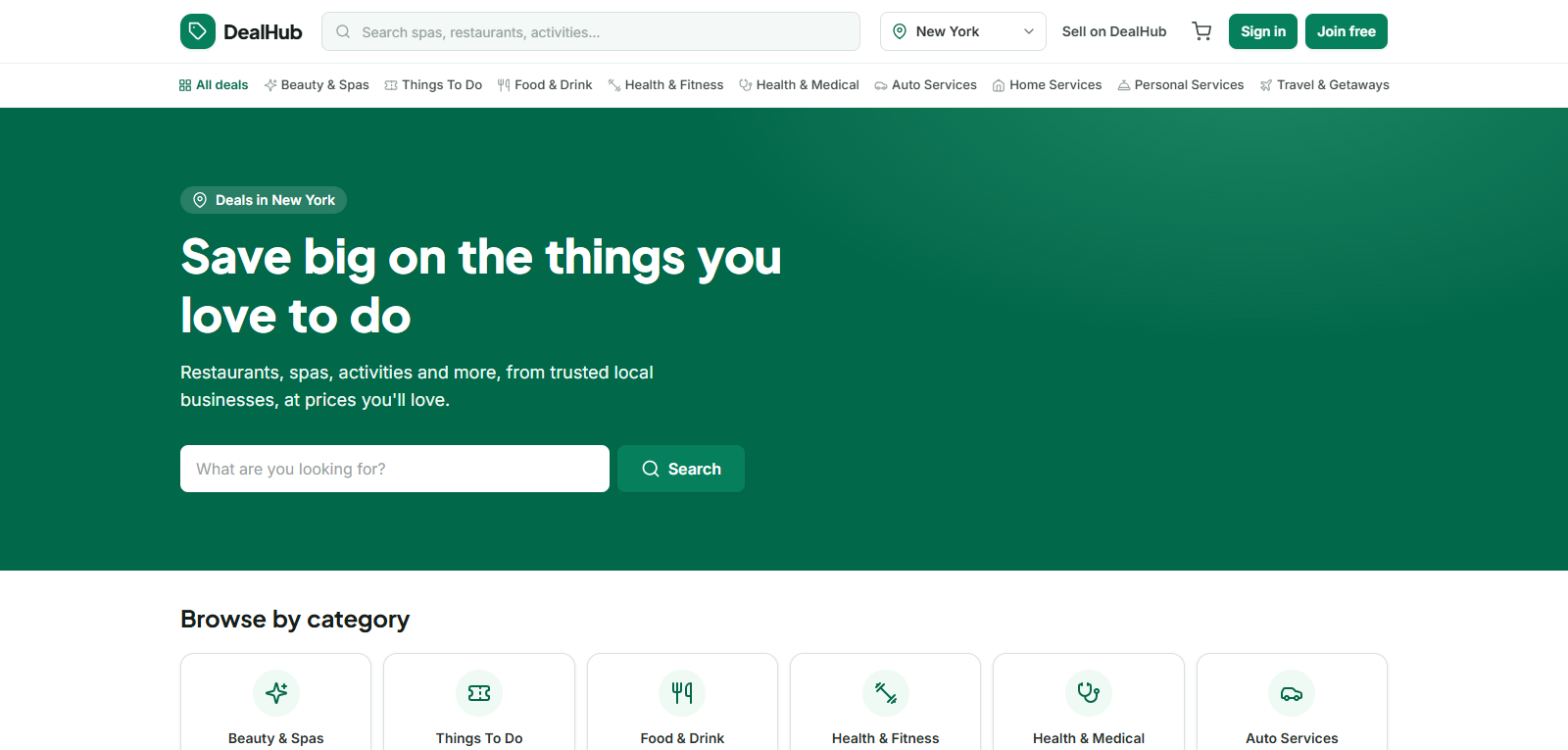
Deals in your city, first.
Customers land on deals in their city, search for spas, restaurants and activities, or browse by category, with the cart and sign-in always in the header.
03 / CREATE AN ACCOUNT
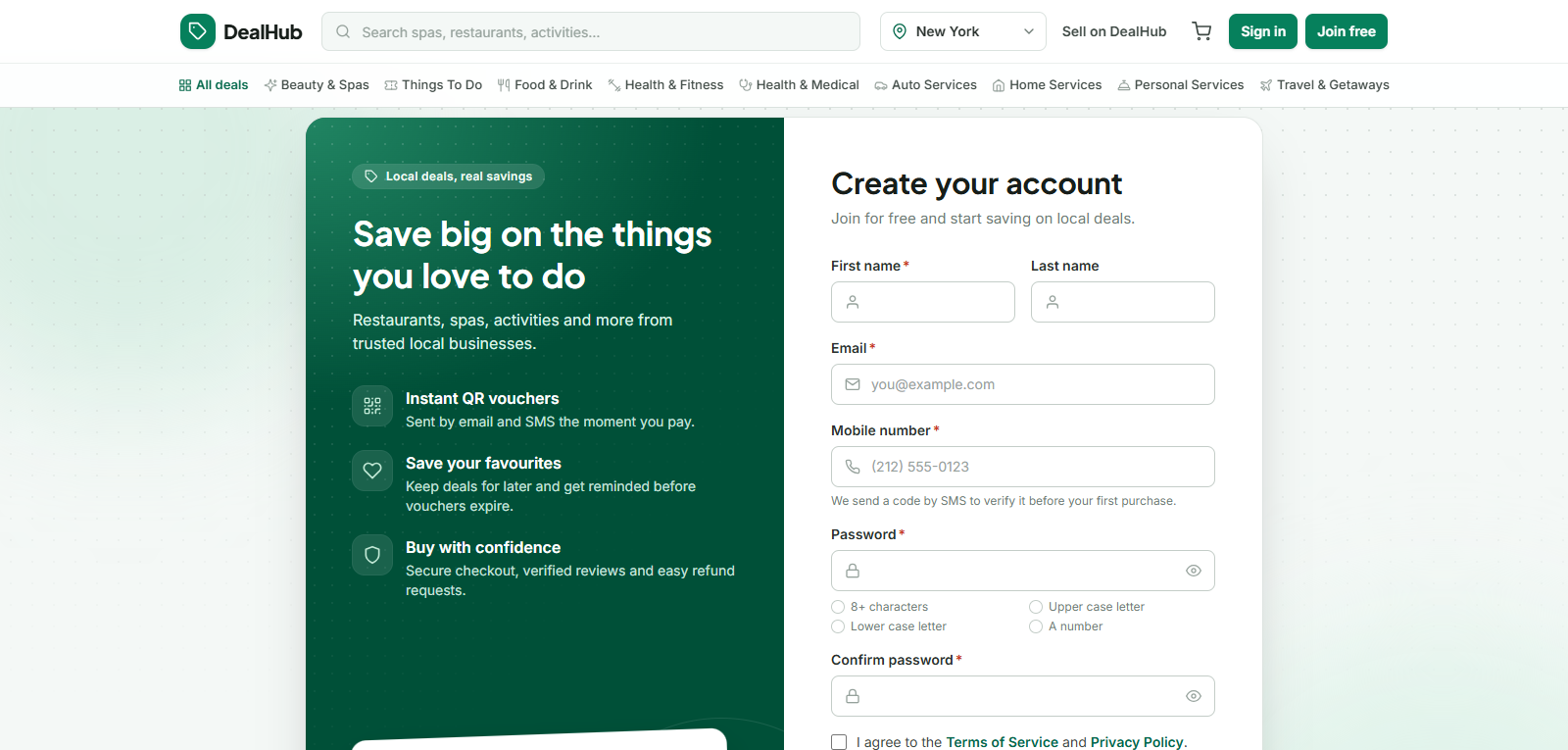
Join free, start saving.
Shoppers sign up with their name, email and mobile number. An SMS code verifies the number before the first purchase, and password rules are checked as they type.
04 / SIGN IN
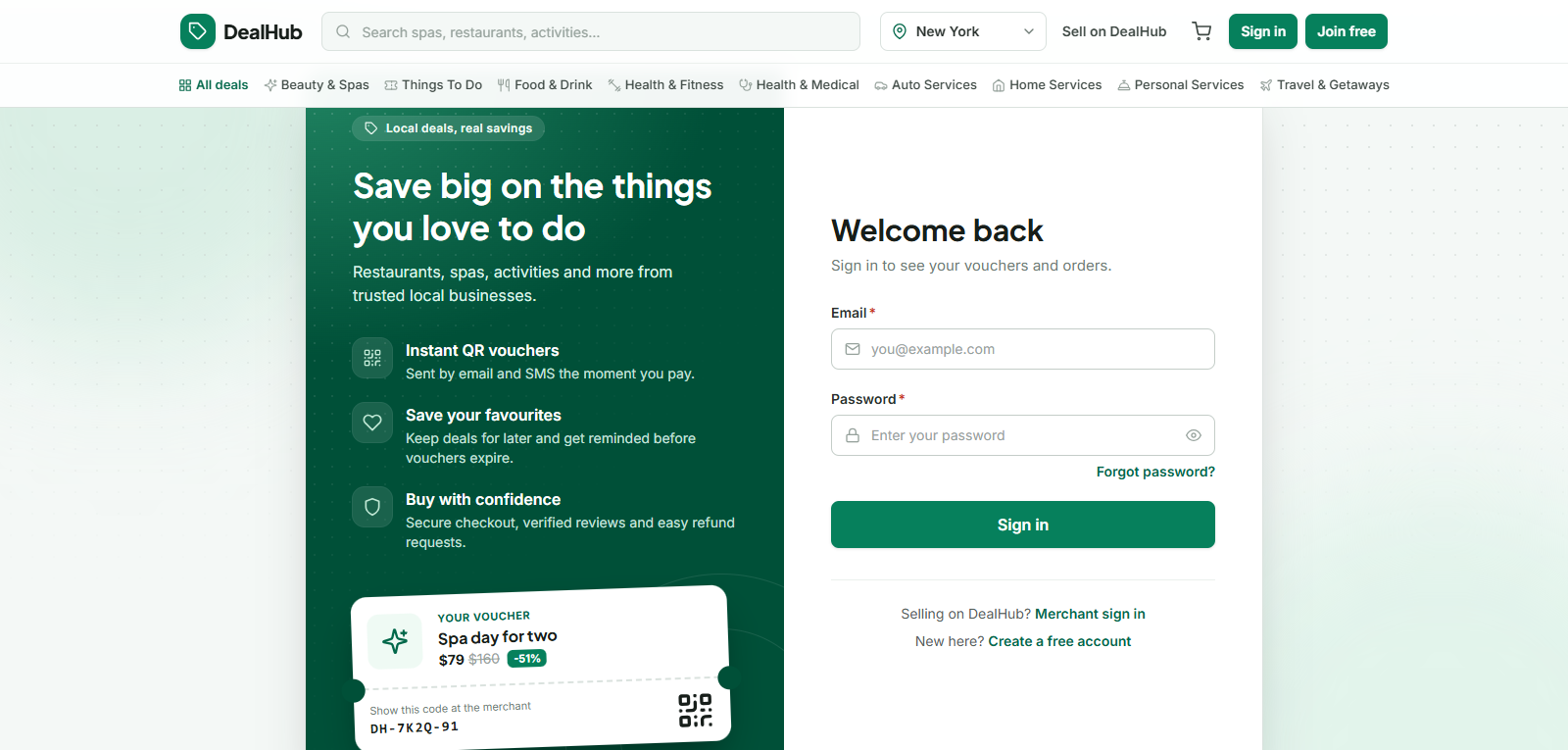
Vouchers one sign-in away.
Returning shoppers sign in to see their vouchers and orders. Merchants get their own sign-in link right below.
01
/
04
02
What brings it together
Deals by City and Category
Customers choose their city and browse deals by category, search and filter by price, discount and rating, or see deals near them sorted by distance. Each deal page shows photos, options, fine print, validity and every location on a map with opening hours.
Fast, Safe Checkout
A cart with live price and stock checks, or a single Buy now. Coupon codes apply at checkout, stock is held for 15 minutes while the customer pays, and the mobile number is verified by SMS code before the first purchase.
QR Vouchers
Every voucher has a QR code and a text code, and is sent by email and SMS straight after payment. Customers see their active, used and expired vouchers in one place, can print them, and get reminders 7 days and 1 day before a voucher expires.
Scan-to-Redeem
Front-desk staff scan the QR code or type the voucher code on a phone. DealsHub checks the business, dates, location, time slot and reuse before accepting it, and a scan made by mistake can be undone within 10 minutes.
Merchant Onboarding
Businesses sign up on their own, add a profile, photos and locations with a map pin and opening hours, and upload ID, tax documents, bank details and the merchant agreement. The admin team reviews every application before it goes live.
Flexible Deal Builder
Create deal options with their own prices, discounts, stock and per-customer limits. Add flash-sale windows, usable days and times, blackout dates and redemption locations, then check a list of what is missing and preview the deal exactly as customers will see it.
Moderated Deal Lifecycle
Every deal is reviewed before it goes live: approved, sent back with feedback, or rejected. Small edits go live instantly, while price and policy changes are reviewed again. Merchants can pause, resume, duplicate and archive deals at any time.
Verified Reviews
Only customers who have redeemed a voucher can leave a review, with stars, text and up to 3 photos. Merchants reply in public, and the admin team can approve, reject or hide any review, so ratings stay honest.
Refunds and Disputes
Refund requests follow each deal's own cancellation policy. A customer can report a problem on a voucher, the merchant has 48 hours to explain, refund or extend it, and overdue cases escalate to the admin team automatically.
Sales, Earnings and Commission
Merchants see vouchers sold, redeemed, revenue and balance, with sales per deal and per location and CSV export. Earnings become available 7 days after redemption, and a merchant ledger tracks commission, holding periods and chargebacks.
Teams and Roles
Seven built-in roles cover the whole platform: Super Admin, Operations, Support and Finance for your staff, and Owner, Manager and Redeemer for each business. Admins can create custom roles, and every person signs in with their own account.
Secure Admin Back Office
Staff sign in with a password plus mandatory two-factor authentication, and each role sees only its own menu. Login history, a full action log and logged document views keep every decision traceable.
Coupons and Promotion
Create percent or fixed coupons with usage limits and validity, scoped by deal, category or merchant. Feature deals on the home page, boost their ranking, and add SEO text to every deal to bring in search traffic.
Automated and Configurable
Scheduled jobs release unpaid orders, expire vouchers, send reminders and keep deal statuses up to date. Currency, commission, stock hold time, reminders and refund rules are settings, not code changes.
Ready for the US, Easy to Deploy
Prices in US dollars, all 50 states and DC, and 20 launch cities with neighbourhoods and timezones. It runs as a Laravel 12 API with a Next.js frontend, MySQL 8 and Redis queues, all in Docker from a single Compose file.
03 / Questions, answered
Frequently asked questions
The things people ask most about DealsHub. Still curious? Ask us directly.
Every voucher has a QR code and a text code and is sent by email and SMS straight after payment. Front-desk staff scan the code or type it on a phone, and DealsHub checks the business, dates, location, time slot and reuse before accepting it. A scan made by mistake can be undone within 10 minutes.
How are merchants approved?
Businesses sign up on their own, add a profile, photos and locations, and upload ID, tax documents, bank details and the merchant agreement. Your admin team reviews every application before it goes live.
Is every deal checked before customers see it?
Yes. Each deal is approved, sent back with feedback, or rejected. Small edits go live instantly, while price and policy changes are reviewed again.
How are refunds and disputes handled?
Refund requests follow each deal's own cancellation policy. When a customer reports a problem, the merchant has 48 hours to explain, refund or extend the voucher, and overdue cases escalate to the admin team automatically.
How do merchants get paid?
Earnings become available 7 days after redemption. A merchant ledger tracks commission, holding periods and chargebacks, and merchants can see sales per deal and per location with CSV export.
Can we change the currency, commission and other rules?
Yes. Currency, commission, stock hold time, reminders and refund rules are settings, not code changes. Out of the box it is set up for the US, with prices in US dollars, all 50 states and DC, and 20 launch cities.
What is it built with?
A Laravel 12 API with a Next.js frontend, MySQL 8 and Redis queues, all running in Docker from a single Compose file.
Can I see it working before I commit?
Yes. Watch the video demo on this page, with no sign-up needed. When you are ready, request a demo meeting and someone from our team will walk you through it live and answer your questions.
Demos are ready
Like where this is going?
Watch the video, browse the slides, then request a demo meeting. Someone from our team will demonstrate it
live and answer your questions.